How to stop spam calls on iPhone when the numbers keep changing
You block a number. Another call arrives with different last digits. Blocking the first number still works, but the next number needs a different rule.
Start with Settings → Apps → Phone → Screen Unknown Callers. Choose Ask Reason for Calling if you want to hear why an unfamiliar person is calling before deciding, or Silence if you want unsaved numbers sent to voicemail. If unwanted numbers keep sharing a prefix, a carefully chosen number pattern may help. It will also cover legitimate numbers in that range. Apple explains these call settings.
This guide covers iOS 26. Setting availability can vary with software, language, region and carrier. All Nighter Labs makes CallBlocker, an iPhone and iPad app that suggests number ranges from your own Recents. The built-in options below work without it.
A familiar number can be a disguise.
Caller ID does not prove who is calling. A caller can falsify the displayed number, including making it look local or similar to your own. The FCC calls this neighbor spoofing.
That leaves a limit for number-based blocking: a rule for one number cannot match a different number. A repeated prefix can make a range worth investigating, but matching digits do not establish that those calls came from the same person.
If someone claims to be your bank or another organization, use a number from its official website or your account statement to contact it. Do not use the incoming caller ID as verification. This is also the FCC's advice for suspicious calls.
Choose based on the calls you still need to receive.
| Option | What it does | Main limit |
|---|---|---|
| Ask Reason for Calling | Asks an unfamiliar caller for context before your phone rings. | You still decide whether to answer. |
| Silence unknown callers | Sends calls from unsaved numbers to voicemail without ringing. | Can silence a delivery driver, clinic or other legitimate new caller. |
| Carrier spam filter | Silences calls your carrier has identified as spam or fraud. | Depends on carrier identification and availability. |
| Block one number | Blocks that specific number. | A different number is outside that block. |
| Block a number pattern | Uses a supported app to add matching numbers to an iOS block list. | Can include legitimate callers; numbers outside the range are unaffected. |
The built-in choices are described in Apple's iPhone call guide. App-based lists use Apple's Call Directory system.
Set up the options already on your iPhone.
1. Screen unfamiliar callers if you need to stay reachable.
In Phone settings, select the option that asks for a reason before ringing. This is a useful starting point if you regularly hear from new clients, couriers or healthcare providers. Save important numbers in Contacts. Apple notes that screening is unavailable while roaming and is temporarily disabled after a call to emergency services. See Apple's screening instructions and exceptions.
2. Use Silence when voicemail is an acceptable first stop.
Select Silence in the same menu if you would rather review messages later. An unsaved number can belong to someone you want to hear from, so choose this setting around the calls you expect.
3. Check the carrier spam setting.
Under Settings → Apps → Phone → Call Filtering, enable Spam if that option is available. Apple's description says it handles calls the carrier flags as spam or fraud. The separate Unknown Callers filter organizes calls into another list; organizing the list does not establish whether a call is fraudulent. Check the filtering options.
4. Block a persistent individual caller.
In the Phone app, open the recent call's details. In Classic view, use its information button. Scroll to the blocking action. This is useful when the same number keeps calling. Apple documents the current steps and the iOS 26 blocked-contact settings in its blocking guide.
Use a pattern only when you understand its range.
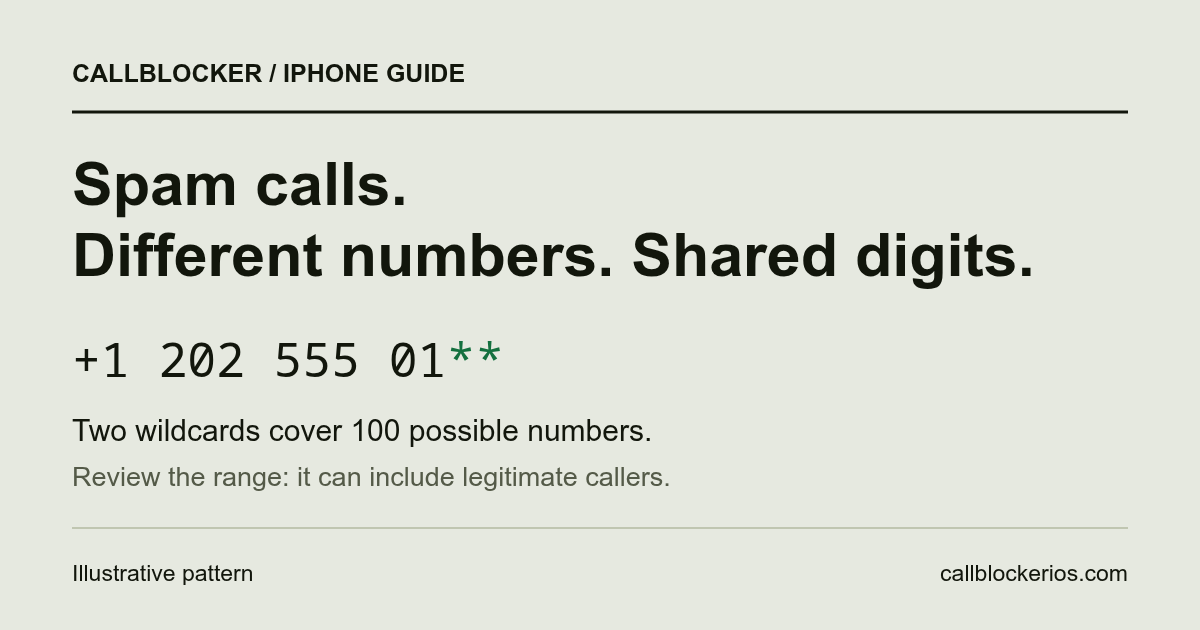
Pattern blocking fits a specific problem: unwanted calls repeatedly display numbers with shared digits, and you are willing to block the matching range. Apple's ordinary single-number blocking control does not create CallBlocker's wildcard rules. A supporting app expands the pattern into numbers for the iOS block list.
In CallBlocker's syntax, an asterisk replaces exactly one decimal digit. This illustrative pattern has two wildcards:
+120255501**
It expands to 100 numbers, from +12025550100 through +12025550199. Each additional wildcard multiplies the range by ten. CallBlocker limits each pattern to four wildcards, or 10,000 entries.
The arithmetic matters more than how short the rule looks. Four asterisks describe ten thousand possible callers. A broad rule can include people you have never heard from and might need to reach you later.
Before enabling a pattern, check its fixed digits, country code and full range. Start with the narrowest range that fits the calls you want to stop. Remove or disable it if expected calls stop arriving. If unwanted numbers have no useful pattern, prefer screening or carrier filtering over repeatedly widening a block.
People often ask for the widest version of this: block the whole area code. CallBlocker cannot cover an entire North American area code within its current limits, and iPhone has no documented setting for it. See what an area code actually covers and which prefix rule fits instead.
A hidden caller ID provides no displayed number for this kind of rule to match. Pattern blocking also cannot determine whether someone is lying during a conversation.
How CallBlocker suggests patterns.
CallBlocker works from screenshots or a screen recording of your Recents that you choose to import. It reads the numbers on your device, groups the ones that share all but their last digits, and suggests each group as a range with the callers that hit it. It does not read your Phone app history by itself or answer calls.
- Turn the app on under Call Blocking & Identification in Phone settings. If that switch is missing or will not stay on, this is why it happens.
- Screenshot or record your Recents, then import them from Photos on CallBlocker's Review tab.
- Review each suggested range: how many numbers it covers, how many of them called you, and a sentence saying why. A range needs at least two callers, so a short list may suggest nothing yet.
- Tick the ranges you want and tap Block. Revisit your rules as the calls change.
All of this works on any iPhone or iPad with iOS or iPadOS 26 or later. Apple Intelligence is optional: where it is available, its on-device model writes the explanation beside each range, in English; without it, CallBlocker writes the explanation itself. It is on the App Store; the US price is $4.99 once. Check the full compatibility requirements.
A suggestion is a pattern in your own Recents, not proof that a number is spam. Reading and matching run on your device. Rules sync through your private iCloud database; Photos and device backups have their own Apple settings. Read the data-handling details.
Blocking a call does not guarantee no voicemail.
Apple says a blocked number or contact can still leave a voicemail, although you will not receive a notification for it. Silencing unknown callers also sends them to voicemail. Those are reasons to be skeptical of blanket “no voicemail” promises. See Apple's explanation of blocked calls.
CallBlocker provides numbers for iOS to block and does not control carrier voicemail routing. If keeping unwanted messages out of voicemail is your priority, ask your carrier which network blocking options cover voicemail, and check how they behave on your plan.
Report the calls that keep getting through.
For US numbers, the National Do Not Call Registry can reduce sales calls from businesses that follow its rules. It is not a technical call blocker and will not stop scammers who ignore the registry. Registration is free. The FTC's registry FAQ explains its limits and links to registration and reporting.
Outside the US, use your carrier's reporting process and your local regulator's guidance. After changing your settings, check for expected calls and voicemail from unfamiliar numbers. Adjust the screening choice or remove a pattern if it is keeping useful calls from reaching you.